Have you already updated your device to the version iOS4 and want to unlock your 3GS? Firstly there was Redsn0w, now PwnageTool is available, which can easily help you. Here is for jailbreaking iPhone 3GS (old bootrom). Warning: this is not an official release and therefore may be some bugs that can destroy your device or delete some important information. So be careful while using it!
Can not wait for the official release? Do you want to get CineXPlayer for iPad on your iPhone and iPod touch right now? For those of you who do not know, CineXPlayer is an iPad application that allows you to download Xvid AVI files using iTunes, so you can easily reproduce the format that Apple won’t. Because the developer has not invented version of the application for the iPhone, the hacker decided to do everything by himself.
It is a complete step by step tutorial on how to install it on your iPhone or iPod touch available . You just need to jailbreak these devices, because the process involves SSH (SSH program for secure file sharing on the network) to access the iPhone, but it’s worth it if you want to get it right now!
Go to /private/var/root/Library/, delete original lockdown folder and put this folder after you extract it from the zip file
Restart phone
If you are not jailbroken:
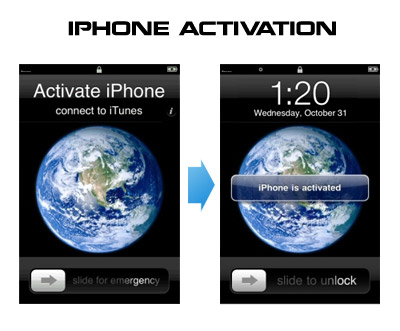
Sherif Hashim discovered that you can activate your iPhone 4, iPhone 3GS or even iPhone 3G without the original carrier SIM card. You need a “phonebook sim card” or 02 simcard. You can buy these type of sim at radioshack, bestbuy or other mobile electronics store (for example ).
Once you get passed the Emergency Call screen, connect to Wifi, jailbreak using and unlock using ultrasn0w. Once that is complete you should be passed activation and unlocked (able to use any sim). If you get a different simcard error, do the following final step:
Download ifunbox software ()
Run ifunbox software and sync with phone
Go to /private/var/root/Library/, delete original lockdown folder and put this folder after you extract it from the zip file
Restart phone
If you have itunes invalid response problem:
Connect to wifi and ssh to your phone (via winscp, putty, terminal, etc).
Navigate to your lockdown folder (/private/var/root/Library/).
Delete pair_records folder
Reconnect the cable and see that your invalid response problem is gone.
If you bought your iPhone 4 on ebay you will need the official sim (at&t) or a universal sim, like ones you can grab at bestbuy for $10 this will get you passed Emergency Screen.
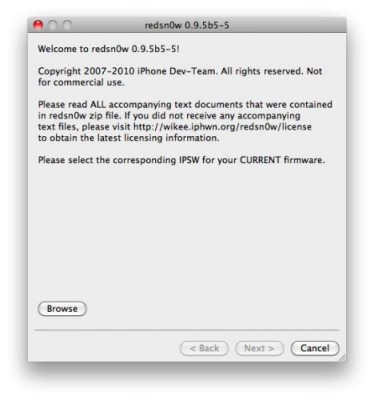
Run RedSn0w and point it at the 4.0 IPSW. (Yes – point it at the 4.0 IPSW even though you’re at 4.0.1). This will also hacktivate your iPhone3G at 4.0.1 if you haven’t already been activated by iTunes.
Install ultrasn0w in Cydia (add repository http://repo666.ultrasn0w.com) if you need a carrier unlock (and in the USA, remember to turn off 3G mode in Settings→General→Network).
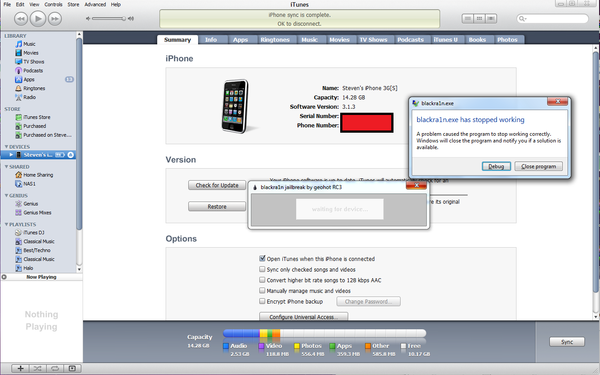
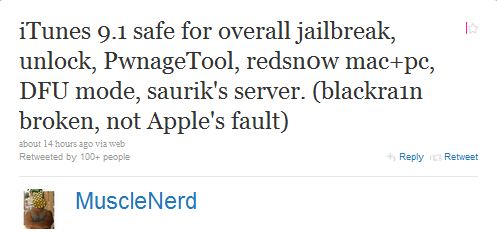
Yesterday iTunes update was found to have issues with those of iPod Touches and iPhones that were tethered jailbroken with blackRa1n. If you have one of these, you will be unable to rejailbreak your device after rebooting it with blackra1n. The problem is being experienced only by Windows users. iH8Sn0w has an explanation:
“Blackra1n hooks to the dll that has different offsets of what it is actually looking for”.
To solve the problem iH8Sn0w released a blackra1n fix for a new version of iTunes. It’s named BlackBreeze and it supports 32bit + 64bit Windows versions and can be downloaded . Please note that this fix is not an official update from Geohot. You can also try to replace new iTunes dll-files with the old ones or install iTunes 9.0.3. The latter is available (don’t forget to uninstall the current version and reboot before the installing of another one).
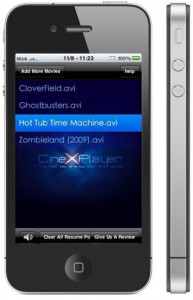 Can not wait for the official release? Do you want to get CineXPlayer for iPad on your iPhone and