HowTo activate iPhone without original SIM card


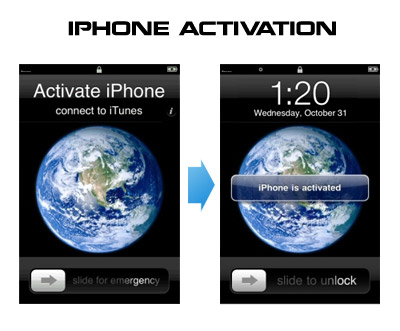
Having problems activating your iPhone? Don’t have original SIM-card? Cannot get passed emergency unlock screen? We have a solution:

If you have iPhone 3G, just use redsn0w to jailbreak and hactivate. If you have iPhone 3GS or iPhone 4 follow these instructions:

If you are already Jailbroken:

So you have an iPhone with iOS 4.0, but don’t have the original SIM and stuck on the Emergency Call Screen:

  1. Download ifunbox software (download link)
  2. Run ifunbox software and sync with phone
  3. Go to /private/var/root/Library/, delete original lockdown folder and put this lockdown folder after you extract it from the zip file
  4. Restart phone

If you are not jailbroken:


Read the rest of this entry »

, , , , , , , , , , , , , , , , , , , , , , , , , , , , , , , , , , , , , , , , , , , , , ,

RedSn0w is able to jailbreak iOS 4.1 beta 2


MuscleNerd tweeted today that the recent redsn0w utility is able to jailbreak the iOS 4.1 beta2 on iPhone 3G and iPod Touch 2G. This is useful for developers only, however good news for everyone.

Here’s some info from the DevTeam wiki page:


Read the rest of this entry »

, , , , , , , , , , , , , , , , , , , , , , , , , , , , , , , , , , , , , , , , ,

How to jailbreak and unlock iPhone 3G with firmware iOS 4.0.1


There is no official jailbreak utility for iOS 4.0.1. However you can still jailbreak and unlock iPhone 3G. Just do the following:

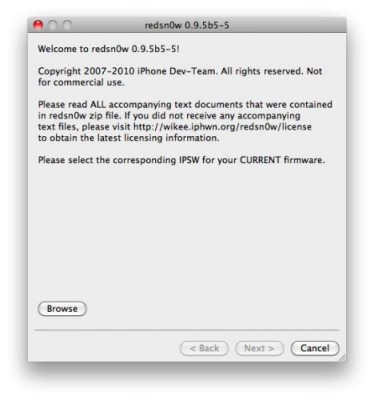
  • Download the latest RedSn0w 0.9.5-b5 in our utilities page here.
  • Download firmware images for iOS 4.0 here.
  • Run RedSn0w and point it at the 4.0 IPSW. (Yes – point it at the 4.0 IPSW even though you’re at 4.0.1). This will also hacktivate your iPhone3G at 4.0.1 if you haven’t already been activated by iTunes.
  • Install ultrasn0w in Cydia (add repository http://repo666.ultrasn0w.com) if you need a carrier unlock (and in the USA, remember to turn off 3G mode in Settings→General→Network).
, , , , , , , , , , , , , , , , , , , , , , , , , , , , , , , , , , ,

Here’s what hackers say about new firmware iOS 4.0.1


Here’s what hackers tweeted about new Apple firmwares 4.0.1 for iPhones and 3.1.2 for iPad:

DevTeam:

As with *any* new FW, jailbreakers + unlockers must avoid this upcoming 4.1 update until our tools are updated

3GS, ipt3G, iPhone4 users (regardless of current FW or JB status) should backup 4..0 SHSH blobs http://is.gd/dskh9 soon

MuscleNerd:

Obviously avoid today’s 4.0.1 update until JB tools are updated. Luckily, no baseband change so ultrasn0w lives on 🙂

each FW version has unique blobs. But using http://is.gd/dskh9 you can get 4.0 blobs on PC while you stay at 3.1.2

Hah for those iPhone3G or ipt2g(non-MC) users at 4.1beta1: use redsn0w from 2 wks ago to JB http://is.gd/dstU3 🙂


Read the rest of this entry »

, , , , , , , , , , , , , , , , , , , , , , , , , , , , , , , , , , , , , , , , , , ,

Redsnow 0.9.5.b4 for iPhone Os 4.0 Beta 4 Released


Last week Apple has released its iPhone Os 4.0 beta 4 and redsn0w is finally updated to support this as well as beta 1. New version of jailbreak is 0.9.5.b4 and it can be applied on iPhone 3G only(!).

Redsn0w 0.9.5.b4 is targeted at developers who make jailbroken apps, and will not work if you are already using blacksn0w, ultrasn0w or yellowsn0w.

iPhone Dev-Team warns:

“You should stay clear of this beta software if you rely on a carrier unlock.”

To use the jailbreak, follow the guide below:

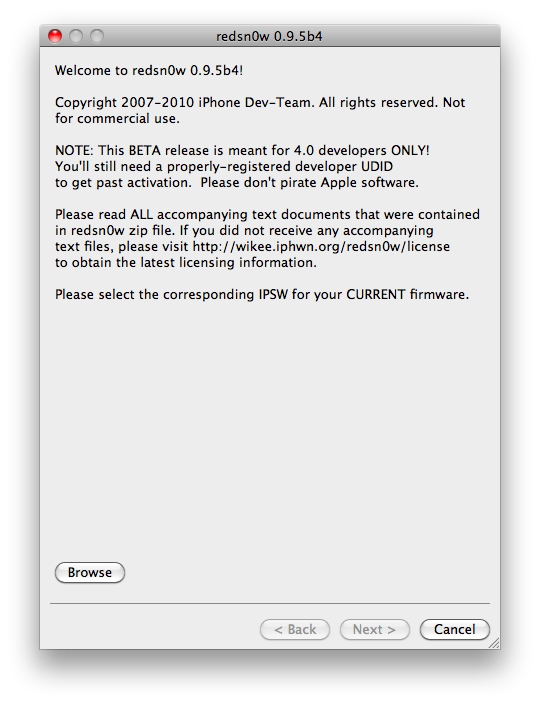
  1. Download redsn0w 0.9.5.b4 here. (Only Mac OS X version since app are developed on this OS).
  2. Make sure you have already activated your iPhone 3G with iTunes and your own developer ID.
  3. Launch the jailbreak.
  4. Select your stock iPhone1,2_4.0_8A274b_Restore.ipsw (beta4) or iPhone1,2_4.0_8A230m_Restore.ipsw (beta1) file that you used to update your firmware.
  5. Choose “Install Cydia” and then click “Next”. Use DFU mode to install the redsn0w.
  6. When your iPhone 3G comes back up, you will notice Cydia has a blank white icon. It also has no sources so you should go to the Sources panel and add this repo: http://apt.saurik.com/cydia-3.7 (make sure you are connected to the Internet before). When Cydia restarts, you should see its real logo now, and the standard sources should be ready to use.
, , , , , , , , , , , , , , , , , , , , , , , , , , , , , , , , , , , , , , , , ,