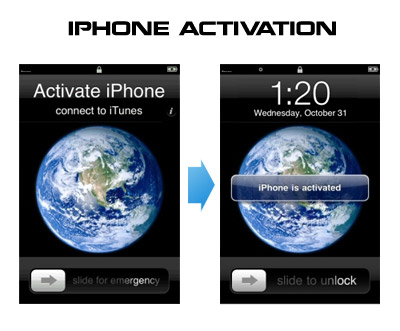
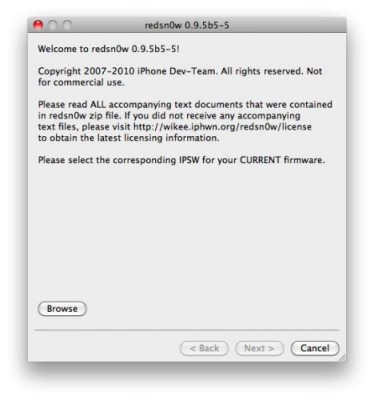
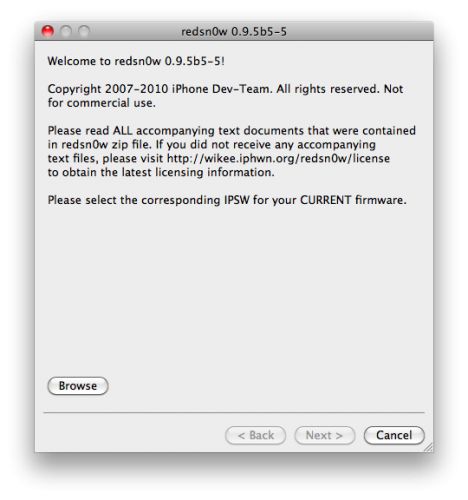
Run RedSn0w and point it at the 4.0 IPSW. (Yes – point it at the 4.0 IPSW even though you’re at 4.0.1). This will also hacktivate your iPhone3G at 4.0.1 if you haven’t already been activated by iTunes.
Install ultrasn0w in Cydia (add repository http://repo666.ultrasn0w.com) if you need a carrier unlock (and in the USA, remember to turn off 3G mode in Settings→General→Network).
June 30 2010Uncategorized |Comments Off on RedSn0w 0.9.5b5-5: iOS 4 jailbreak updated
DevTeam updated iOS 4 jailbreak utility redsn0w to version 0.9.5b5-5. That should fix any APN or MMS issues that users were seeing. It’s safe to re-run it on an already jailbroken iPhone without restoring. Just deselect “Install Cydia” if you do that.
Supported devices are still only iPhone3G and iPod Touch 2G (not MC)
Last week Apple has released its iPhone Os 4.0 beta 4 and redsn0w is finally updated to support this as well as beta 1. New version of jailbreak is 0.9.5.b4 and it can be applied on iPhone 3G only(!).
Redsn0w 0.9.5.b4 is targeted at developers who make jailbroken apps, and will not work if you are already using blacksn0w, ultrasn0w or yellowsn0w.
iPhone Dev-Team warns:
“You should stay clear of this beta software if you rely on a carrier unlock.”
To use the jailbreak, follow the guide below:
Download redsn0w 0.9.5.b4 . (Only Mac OS X version since app are developed on this OS).
Make sure you have already activated your iPhone 3G with iTunes and your own developer ID.
Launch the jailbreak.
Select your stock iPhone1,2_4.0_8A274b_Restore.ipsw (beta4) or iPhone1,2_4.0_8A230m_Restore.ipsw (beta1) file that you used to update your firmware.
Choose “Install Cydia” and then click “Next”. Use DFU mode to install the redsn0w.
When your iPhone 3G comes back up, you will notice Cydia has a blank white icon. It also has no sources so you should go to the Sources panel and add this repo: http://apt.saurik.com/cydia-3.7 (make sure you are connected to the Internet before). When Cydia restarts, you should see its real logo now, and the standard sources should be ready to use.
February 1 2010All, Cydia, Firmware, Software, Unlock |Comments Off on iPhone Dev-Team Releases Jailbreak Utility RedSn0w version 0.9.2
Redsn0w is a cross-platform jailbreaking tool for iPhone and iPod Touch. New version redsn0w 0.9.2 supports the latest firmware 3.1.2.
redsn0w 0.9.2 supports:
All iPhones and iPod touches
Windows and Mac OSX (x86)
Apple firmwares 3.0 and 3.1.2
We expect to see Linux version quite soon.
If you need a carrier unlock, redsn0w will handle iPhone 2G by itself (by installing the BootNeuter utility). For the iPhone 3G and iPhone 3GS use Cydia after you’re jailbroken to install ultrasn0w (baseband 04.26) or blacksn0w (baseband 05.11).
If you have a late-model iPhone 3GS, or if you have an iPod touch 2G whose serial number begins with “MC” (newer than week 40 of last year), or any iPod touch 3G, you can use redsn0w to jailbreak but you are currently restricted to “tethered” rebooting. That means you need to connect your device to a computer each time you boot it – so just try no to reboot.