RedSn0w 0.9.12b1 and PwnageTool 5.1.1 released: support iOS 5.1.1 untethered jailbreak


redsn0w-0912b1 redsn0w-0912b1-extras

The iPhone Dev-Team has released updates to RedSn0w and PwnageTool that bring support for the iOS 5.1.1 untethered jailbreak.

RedSn0w 0.9.12b1 supports untethered iOS 5.1.1 jailbreak for all devices:

  • iPhone 3GS
  • iPhone 4
  • iPhone 4S
  • iPad 1
  • iPad 2
  • new iPad 3
  • iPod Touch 3G
  • iPod Touch 4G

PwnageTool 5.1.1 allows to create custom firmware and preserve modem version for unlock with ultrasn0w or Gevey. PwnageTool 5.1.1 supports all A4 devices:

  • iPhone 3GS
  • iPhone 4
  • iPad 1
  • iPod Touch 3G
  • iPod Touch 4G
  • Apple TV 2G

You can download RedSn0w 0.9.12b1 here and PwnageTool 5.1.1 here.

We will create step-by-step tutorial soon.

Official DevTeam comments:


Read the rest of this entry »

, , , , , , , , , , , , , , , , , , , , , , , , , , , , , , , , , , , , , , , , , , , , , , , , , , , , , , , , , , , , , , , , , , , , , , , , ,

iPhone Dev-Team Updates RedSn0w to Save iPhone Unlock Tickets


redsn0w-0910b8 redsn0w-0910b8-1

The iPhone Dev-Team has updated RedSn0w with the ability to save iPhone unlock tickets (SAM unlock).

redsn0w 0.9.10b8 adds the ability to backup arbitrary directories or files from your device into a zip file on your Mac or PC. The new button is Extras->Even More->Backup and it requires your device to be jailbroken with the afc2 service enabled (most jailbreaks include that). By default it will backup your activation records from /var/root/Library/Lockdown, which is useful for everyone taking advantage of today’s SAM unlock using Loktar_Sun’s trick
You can download the new version of RedSn0w 0.9.10b8 here.

You can save unlock tickets through Extras -> Even More -> Backup.

, , , , , , , , , , , , , , , , , ,

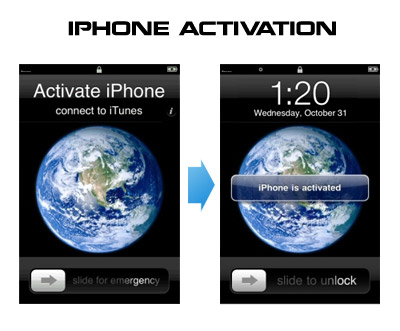
HowTo activate iPhone without original SIM card


Having problems activating your iPhone? Don’t have original SIM-card? Cannot get passed emergency unlock screen? We have a solution:

If you have iPhone 3G, just use redsn0w to jailbreak and hactivate. If you have iPhone 3GS or iPhone 4 follow these instructions:

If you are already Jailbroken:

So you have an iPhone with iOS 4.0, but don’t have the original SIM and stuck on the Emergency Call Screen:

  1. Download ifunbox software (download link)
  2. Run ifunbox software and sync with phone
  3. Go to /private/var/root/Library/, delete original lockdown folder and put this lockdown folder after you extract it from the zip file
  4. Restart phone

If you are not jailbroken:


Read the rest of this entry »

, , , , , , , , , , , , , , , , , , , , , , , , , , , , , , , , , , , , , , , , , , , , , ,