The iPhone Dev-Team has released RedSn0w 0.9.9b5 – an official tethered jailbreak for iOS 5. Users don’t have to point to downloaded iOS 5 ipws any more. Just run and jailbreak.
Currently only the Mac version has been made available. Windows version is coming soon. However Windows users can still jailbreak iOS 5 with Redsn0w 0.9.9.b4, – just go to “Extras” -> “Select IPWS” and select your iOS 5 ipsw file (can download ).
Good news for users who need carrier unlock (ultrasn0w or Gevey Sim). With RedSn0w 0.9.9b5 you can update to iOS 5 and preserve the baseband (modem) version for unlock:
The new “Custom IPSW” button on the Extras screen will create a custom IPSW without the baseband update for 4.3.3 or 5.0gm (iPhone3GS and iPhone4 only, for now). Remember not to accidentally restore to the stock IPSW after you create the custom one! The custom one begins with NO_BB_ (for “no baseband”).
You must enter “Pwned DFU” mode before trying to use the NO_BB_ IPSW with iTunes (and your hosts file cannot be pointing to Cydia’s servers due to the new blob nonce mechanism they’re using in iOS5).
We will update our step-by-step tutorials soon.
You can download RedSn0w 0.9.9b5 (Mac) and RedSn0w 0.9.9b4 (Windows) .
PS: RedSn0w 0.9.9 is a bit different from 0.9.8 version. You can learn more about other new redsn0w 0.9.9 features .
UPDATE: redsn0w 0.9.9b6 released, download
UPDATE:
Here are links to our RedSn0w 0.9.9 iOS 5 jailbreak tutorials:
MuscleNerd, hacker from DevTeam, has announced via Twitter that a major update to RedSn0w is coming soon.
There will be no need to select an IPSW. Rather than requiring ipsw selection, RedSn0w will now automatically fetch the important pieces directly from Apple (and caches them so that it never needs to re-fetch them again). New version also brings the ability to save and submit SHSH Blobs to Cydia.
Will be pushing out a major redsn0w feature upgrade before my trip to Korea: http://is.gd/PMAdT1 (and look, no IPSW selection button!)
The new version of RedSn0w is expected to be released on Monday.
MuscleNerd recently Tweeted that iOS 5 beta 1 jailbreak is already available. DevTeam released Redsn0w 0.9.8 b1.
For now the jailbreak is tethered (you have to run redsn0w each time you reboot) and available for Mac OS X only. It will not activate your device, so you need have registered UDID. iPhone 3GS users with 06.15 baseband: redsn0w will get you past the iTunes restore error. This redsn0w will probably work on future versions of iOS 5.
The 4.3.3 untether works on all Apple devices that support 4.3.2 except for the iPad2:
iPhone 3GS
(GSM)
iPod Touch 3G
iPod Touch 4G
iPad 1
AppleTV 2G (PwnageTool only for now)
Redsnow is easy to use, it is available for Windows and Mac OS. As usual for unlockers – do not update to 4.3.3, use PwnageTool (MAC) and Sn0wBreeze (Windows) to preserve the baseband.
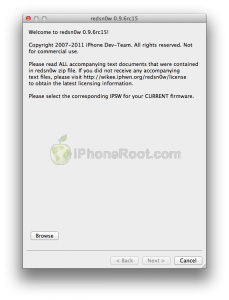
You can download RedSn0w 0.9.6 rc15 .
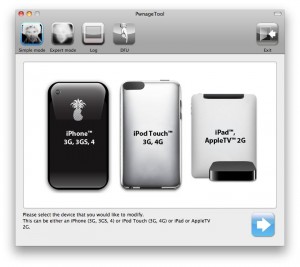
You can download PwnageTool 4.3.3 .
Ultrasn0w was also updated to support old baseband on new iOS 4.3.3. Ultrasn0w 1.2.3 (for unlockers with old baseband) is available in Cydia.