Untethered jailbreak for iOS 4.3.2 released – RedSn0w 0.9.6 rc14


redsn0w-096rc14

DevTeam released the untethered jailbreak for the latest iOS 4.3.2 – RedSn0w 0.9.6 rc14.

The 4.3.1 untether works on all Apple devices that support 4.3.2 except for the iPad2:

Redsnow is easy to use, it is available for Windows and Mac OS. As usual for unlockers – do not updaate to 4.3.1, wait for PwnageTool and Sn0wBreeze.

You can download RedSn0w 0.9.6 rc14 here.

New tutorials are on it’s way. For now you can still use our tutorials for iOS 4.3.1. Just download iOS 4.3.2 here, update in iTunes, point redsn0w to it, everything else is the same:

, , , , , , , , , , , , , , , , , , , , , , , , , , , , , , , , , , , , , , , , , , , , , , , , , , , , , ,

Untethered jailbreak for iOS 4.3.1 released: RedSn0w 0.9.6rc9 and PwngeTool 4.3


DevTeam released much anticipated untethered jailbreak for the latest iOS 4.3.1 – RedSn0w 0.9.6 rc9 and PwngeTool 4.3.

The 4.3.1 untether works on all Apple devices that support 4.3.1 except for the iPad2:

Redsnow is easy to use, it is available for Windows and Mac OS. Pwnagetool can be used to create custom ipsw and preserve baseband, it supports Mac OS only.

You can download RedSn0w 0.9.6 rc9 here and PwnageTool 4.3 here.

Here are our tutorials:

Ultrasn0w doesn’t work on iOS 4.3.1 yet (even with iOS 4.3.1 + old baseband). The fix will be available soon. Here’s a warning from DevTeam for unlockers:


Read the rest of this entry »

, , , , , , , , , , , , , , , , , , , , , , , , , , , , , , , , , , , , , , , , , , , , , , , , , , , , , , , , , ,

RedSn0w 0.9.6b4: jailbreak for iOS 4.2.1 released


Redsn0w-096B4

DevTeam worked hard for the last several hours and released jailbreak tool for iOS 4.2.1. It is redsn0w 0.9.6 b4.

As usual we remind all ultrasn0w unlockers please stay away from this official firmware. Wait for the ability to create custom 4.2.1 IPSWs that don’t update your baseband!

New redsn0w 0.9.6 b4 uses limera1n exploit and will successfully jailbreak all devices. The only problem is that it is a tethered jailbreak, which means you will have to plug it to a computer and rerun redsn0w on every reboot. This so called tethered or semi-tethered jailbreak. This condition applies to iPhone 3GS (new bootrom), iPhone 4, iPad, iPod touch 2G (MC model), iPod touch 3G and iPod touch 4G. Hackers are working hard to create untethered jailbreak for these devices. To use future untethered jailbreak you need to save SHSH keys for iOS 4.1 using TinyUmbrella utility or directly in Cydia.

Old devices like iPhone 3GS (old bootrom), iPhone 3G and iPod touch 2G (non-MC model) can be jailbroken-untethered right now using this latest version of RedSn0w.

You can download RedSn0w 0.9.6 b4 here.

, , , , , , , , , , , , , , , , , , , , , , , , , , , , , , , , , , , , , , , , , , , , , , , , , , , , , , , ,

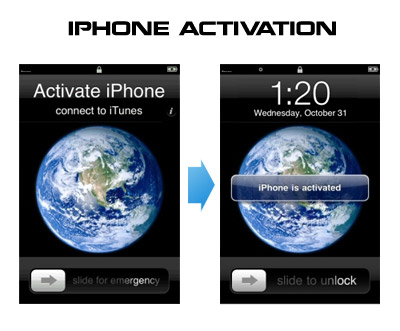
HowTo activate iPhone without original SIM card


Having problems activating your iPhone? Don’t have original SIM-card? Cannot get passed emergency unlock screen? We have a solution:

If you have iPhone 3G, just use redsn0w to jailbreak and hactivate. If you have iPhone 3GS or iPhone 4 follow these instructions:

If you are already Jailbroken:

So you have an iPhone with iOS 4.0, but don’t have the original SIM and stuck on the Emergency Call Screen:

  1. Download ifunbox software (download link)
  2. Run ifunbox software and sync with phone
  3. Go to /private/var/root/Library/, delete original lockdown folder and put this lockdown folder after you extract it from the zip file
  4. Restart phone

If you are not jailbroken:


Read the rest of this entry »

, , , , , , , , , , , , , , , , , , , , , , , , , , , , , , , , , , , , , , , , , , , , , ,

Here’s what hackers say about new firmware iOS 4.0.1


Here’s what hackers tweeted about new Apple firmwares 4.0.1 for iPhones and 3.1.2 for iPad:

DevTeam:

As with *any* new FW, jailbreakers + unlockers must avoid this upcoming 4.1 update until our tools are updated

3GS, ipt3G, iPhone4 users (regardless of current FW or JB status) should backup 4..0 SHSH blobs http://is.gd/dskh9 soon

MuscleNerd:

Obviously avoid today’s 4.0.1 update until JB tools are updated. Luckily, no baseband change so ultrasn0w lives on 🙂

each FW version has unique blobs. But using http://is.gd/dskh9 you can get 4.0 blobs on PC while you stay at 3.1.2

Hah for those iPhone3G or ipt2g(non-MC) users at 4.1beta1: use redsn0w from 2 wks ago to JB http://is.gd/dstU3 🙂


Read the rest of this entry »

, , , , , , , , , , , , , , , , , , , , , , , , , , , , , , , , , , , , , , , , , , ,