HowTo activate iPhone without original SIM card
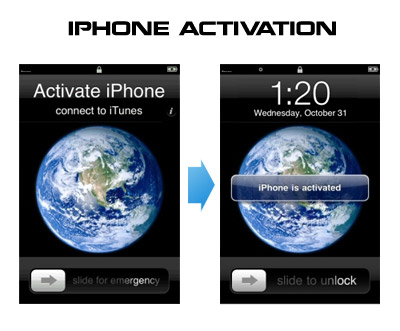
Having problems activating your iPhone? Don’t have original SIM-card? Cannot get passed emergency unlock screen? We have a solution:
If you have iPhone 3G, just use redsn0w to jailbreak and hactivate. If you have iPhone 3GS or follow these instructions:
If you are already Jailbroken:
So you have an iPhone with iOS 4.0, but don’t have the original SIM and stuck on the Emergency Call Screen:
- Download ifunbox software ()
- Run ifunbox software and sync with phone
- Go to /private/var/root/Library/, delete original lockdown folder and put this folder after you extract it from the zip file
- Restart phone
If you are not jailbroken:
1, 3G, 3GS, 4.0, activation, Ads, AT&T, Car, Cydia, download, ebook, error, fun, GSM, hack, Howto, ifunbox, iOS, iOS 4, iOS 4.0, iOS4, iPhone, iPhone 3G, iPhone 3GS, iPhone 4, iTunes, jailbreak, JailBreakMe, jailbreakme.com, less, mobile, Official, redsn0w, sed, SIM, SSH, Twitter, ultrasn0w, Unlock, Unlock & Jailbreak, USB, WiFi, zip, айфон, айфон 4, анлок, джейлбрейк
