The iPhone Dev-Team has released updates to RedSn0w and PwnageTool that bring support for the iOS 5.1.1 untethered jailbreak .
RedSn0w 0.9.12b1 supports untethered iOS 5.1.1 jailbreak for all devices:
iPhone 3GS
iPhone 4
iPhone 4S
iPad 1
iPad 2
new iPad 3
iPod Touch 3G
iPod Touch 4G
PwnageTool 5.1.1 allows to create custom firmware and preserve modem version for unlock with ultrasn0w or Gevey. PwnageTool 5.1.1 supports all A4 devices:
iPhone 3GS
iPhone 4
iPad 1
iPod Touch 3G
iPod Touch 4G
Apple TV 2G
You can download RedSn0w 0.9.12b1 here here
We will create step-by-step tutorial soon.
Official DevTeam comments:
Tags: 1 ,
3G ,
3GS ,
4G ,
5.1.1 ,
A4 ,
A5 ,
Absinthe ,
activation ,
Ads ,
app ,
Apple ,
Apple TV ,
Apple TV 2G ,
AppleTV ,
baseband ,
custom firmware ,
DevTeam ,
download ,
Firmware ,
Gevey ,
iCloud ,
iOS ,
iOS 5 ,
iOS 5.1 ,
iOS 5.1.1 ,
iPad ,
iPad 2 ,
iPad 3 ,
iPhone ,
iPhone 3G ,
iPhone 3GS ,
iPhone 4 ,
iPhone 4S ,
iPod ,
iPod Touch ,
iPod Touch 3 ,
iPod Touch 3G ,
iPod Touch 4 ,
iPod Touch 4G ,
IPS ,
ipsw ,
jailbreak ,
less ,
Limera1n ,
Mac ,
music ,
Official ,
photo ,
plist ,
pwnagetool ,
PwnageTool 5.1.1 ,
redsn0w ,
redsn0w 0.9 ,
RedSn0w 0.9.12 ,
sed ,
SIM ,
SSH ,
tethered ,
tethered jailbreak ,
Tutorial ,
ultrasn0w ,
Unlock ,
untethered ,
untethered jailbreak ,
update ,
zip ,
анлок ,
джейлбрейк ,
отвязанный джейлбрейк ,
приложения ,
скачать ,
фото ,
фото
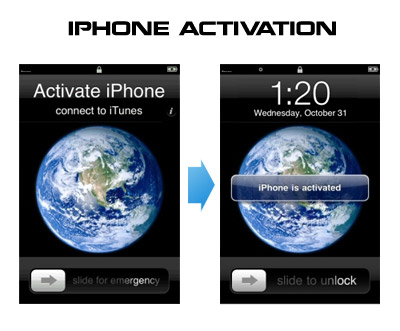
Having problems activating your iPhone? Don’t have original SIM-card? Cannot get passed emergency unlock screen? We have a solution:
If you have iPhone 3G , just use redsn0w to jailbreak and hactivate. If you have iPhone 3GS or iPhone 4
If you are already Jailbroken:
So you have an iPhone with iOS 4.0, but don’t have the original SIM and stuck on the Emergency Call Screen:
Download ifunbox software (download link
Run ifunbox software and sync with phone
Go to /private/var/root/Library/, delete original lockdown folder and put this lockdown
Restart phone
If you are not jailbroken:
Tags: 1 ,
3G ,
3GS ,
4.0 ,
activation ,
Ads ,
AT&T ,
Car ,
Cydia ,
download ,
ebook ,
error ,
fun ,
GSM ,
hack ,
Howto ,
ifunbox ,
iOS ,
iOS 4 ,
iOS 4.0 ,
iOS4 ,
iPhone ,
iPhone 3G ,
iPhone 3GS ,
iPhone 4 ,
iTunes ,
jailbreak ,
JailBreakMe ,
jailbreakme.com ,
less ,
mobile ,
Official ,
redsn0w ,
sed ,
SIM ,
SSH ,
Twitter ,
ultrasn0w ,
Unlock ,
Unlock & Jailbreak ,
USB ,
WiFi ,
zip ,
айфон ,
айфон 4 ,
анлок ,
джейлбрейк
Here’s what hackers tweeted about new Apple firmwares 4.0.1 for iPhones and 3.1.2 for iPad:
DevTeam :
As with *any* new FW, jailbreakers + unlockers must avoid this upcoming 4.1 update until our tools are updated
3GS, ipt3G, iPhone4
MuscleNerd :
Obviously avoid today’s 4.0.1 update until JB tools are updated. Luckily, no baseband change so ultrasn0w lives on 🙂
each FW version has unique blobs. But using http://is.gd/dskh9 you can get 4.0 blobs on PC while you stay at 3.1.2
Hah for those iPhone3G or ipt2g(non-MC) users at 4.1beta1: use redsn0w from 2 wks ago to JB http://is.gd/dstU3 🙂
Tags: 1 ,
2.1 ,
3.1 ,
3.1.2 ,
3.2 ,
3.2.1 ,
3G ,
3GS ,
4.0 ,
Ads ,
app ,
Apple ,
baseband ,
beta ,
comex ,
DevTeam ,
exploit ,
Firmware ,
hack ,
iH8sn0w ,
iOS ,
iOS 4 ,
iOS 4.0 ,
iOS 4.0.1 ,
iPad ,
iPhone ,
iPhone 4 ,
iPhone3 ,
jailbreak ,
less ,
MuscleNerd ,
redsn0w ,
SHSH ,
Spirit ,
ultrasn0w ,
Unlock ,
Unlock & Jailbreak ,
update ,
айфон ,
айфон 4 ,
анлок ,
джейлбрейк ,
прошивка ,
разлочка